Security December 16, 2021

Why does my website say "Your connection to this site is not secure" and how to fix it.

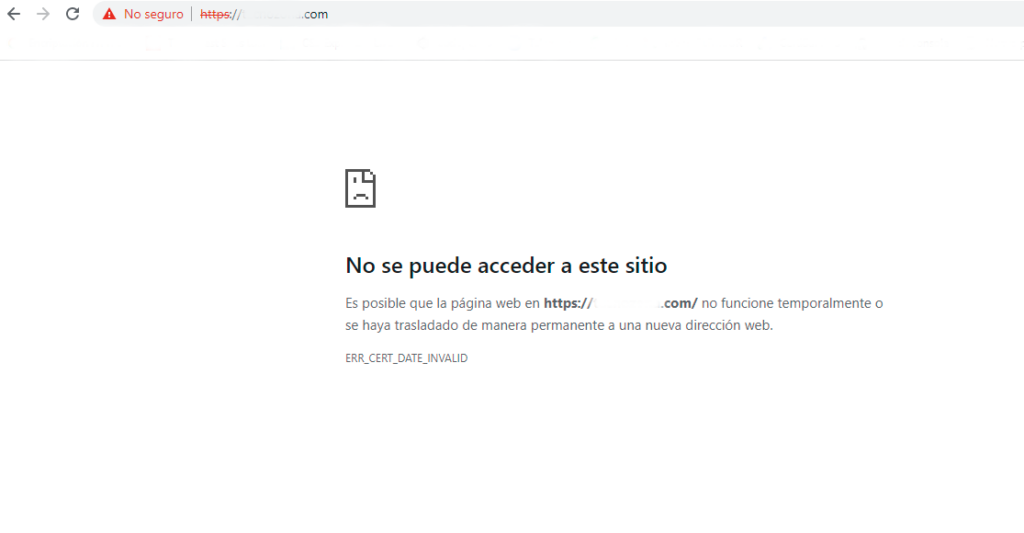
When Chrome or another browser displays a webpage as "not secure" it means the connection is not being made via SSL. Therefore, the page content is transmitted over the internet unencrypted, making it possible to intercept the content of data transmitted through it. Why does this warning appear? In 2017 Google decided to enforce the use of SSL certificates (that is, addresses with https:// instead of http://). Since then, when you visit a website without SSL using the Chrome browser, it indicates "Not secure" next to the address, and you get a warning saying the website is not secure. In addition to the heading "Your connection to this website is not secure", when you click on the icon to see more information it even allows mention of "attackers", stealing information, etc. Additionally, it decided to penalize the search engine positioning of "non-secure" websites. Today all browsers have the same treatment for sites without SSL.

Porque mi página web dice “Tu conexión con este sitio no es segura’’ y como resolverlo.
To avoid these warnings, it is necessary to have an SSL certificate installed (https) on your website.Sitio en chrome sin https

If you want these alerts to stop appearing in the browser when someone visits your site, this is the solution.

How to solve the problem and have a secure website

Buy an SSL certificate

At CertiSur we help you choose the SSL certificate that best suits your website's needs.

Adapt your website to work with https

Once the certificate is installed and you can access your website with https://, it's very likely that Google Chrome will still say that your website not secure . This happens because it's common for your website to have resources that load with http:// addresses, for example your website's photos are probably linked with http://. You probably just need to completely replace those links from the old URL with links using the new security protocol, both on the website and in the database, if your website uses databases. Make sure you don't have any insecure content.

Force web loading with SSL

Once you have the certificate installed and your website adapted, you need to configure your website to your website always loads completely secure . To do this, you need to create a 301 redirect, so that if someone accesses the normal version of the website, the secure version loads. This will also indicate to Google to index the secure version in its search results.

Understanding SSL certificates

What is an SSL certificate?

For a website to be able to establish a secure connection (encrypted with https protocol), it is necessary for the server to have an SSL certificate for that domain, installed and correctly configured.

What types of certificates are there?

Extended Validation certificate (SSL EV)

The extended validation SSL certificates present the highest levels of security and authentication. To issue a certificate of this type, a Certificate Authority performs a exhaustive verification process of the applicant's identity . The certificate EV guarantees the encryption and also guarantees the identity of the company that owns it.

Organization Validated certificate (SSL OV)

This option includes the validation of the applicant's corporate identity . Businesses or companies implement an organization validation certificate to demonstrate to users and customers that they are legitimate organizations . Before its issuance, the Certificate Authority evaluates the applicant's relevance with respect to the domain informed by this.

Domain Validated certificate (SSL DV)

The Certificate Authority issues this class of SSL certificates after evaluating that the requested domain is legitimate. These certificates guarantee the encryption of the data, but do not validate the identity of the company that owns it. Security changes on Websites today are constant. Using the correct certificates for your Website will prepare you for any updates as they happen.